Updated November 2026
A couple looking at your wedding venue website usually wants to know five things. How many guests fit. Where the ceremony happens. What's included. Whether anyone can stay over. And roughly what a Saturday in June costs. If the site answers those questions clearly, the couple books a tour. If it doesn't, they keep scrolling, usually to a directory listing that does.
So building a venue website is mostly a matter of deciding where each answer lives, and then putting it there in a way that works on a phone.
This guide walks through the pages a venue site needs, the content to gather before you open a website builder, which platform to choose, and what each way of getting the site built actually costs.
The short answer
Decide what the site has to do: answer couples' questions and get them to book a tour.
Plan the pages: home, one page per space, packages and pricing, real weddings, FAQ, plan a visit, and an inquiry page.
Gather the content first: photos of each space, capacities, prices, what's included, and your rules.
Pick a platform. For most venues that's Squarespace.
Choose how it gets built: a template you set up yourself, a template someone customizes for you (from $1,800), or a custom website built on a strategy for your venue ($6,000–$10,000).
Set it up for phones and local search, then launch it before it feels finished.
Step 1: Decide what the website is for
A venue website has one main job: get the right couples to book a tour or send an inquiry. Everything else (the gallery, the story of the barn, the Instagram feed) is there to support that.
It also has a second job, which is to filter. A couple planning 250 guests shouldn't fall in love with a venue that seats 120. A couple with a $15,000 total budget shouldn't find out on the tour that the venue fee alone is more than that. Every question the website answers is one your team doesn't have to answer by email, and one less disappointing tour on a Saturday morning.
If you want the longer version of how couples make that decision, I wrote about it in the wedding venue funnel nobody talks about.
Step 2: Plan the pages a wedding venue website needs
Most venue websites need these pages. Small venues can combine a few. Large estates with several event spaces will need more.
Home. Say what the venue is, where it is, and how many guests it holds, near the top. "Lakeside barn venue near Asheville for up to 180 guests" tells a couple more in one line than a full-screen video with the word "Welcome". Add a button to book a tour or check dates.
One page per space. If you have a ceremony lawn, a barn and a covered terrace, give each its own page with photos, capacity, and what it's used for. Couples compare spaces, and Google can show a page about "outdoor ceremony space" to someone searching for exactly that. One long page that tries to cover everything is harder for both to read.
Packages and pricing. Starting prices at the very least. You don't have to publish your whole price sheet, but a couple should be able to tell whether you're in their range without emailing you. If your pricing only exists inside a PDF brochure, many couples on phones will never open it.
Accommodation (if you have it). Rooms, cottages, how many people can stay, and whether the wedding party gets priority.
Real weddings or gallery. Photos of actual weddings at the venue, ideally sorted by season or space. This is the page that helps a couple picture their own day. Credit the photographers. It's polite, it's usually part of the deal, and it often earns you a link back from their blog.
FAQ. Catering rules, outside vendors, alcohol, music curfew, rain plan, parking, accessibility, deposit. The questions you answer on every tour belong here.
Plan a visit. How tours work, when they're available, and a way to book one. Open house dates, if you run them.
Inquire / contact. A short form, a phone number, your address and a map.
Preferred vendors (optional). A list of caterers, planners and photographers you work with. It's useful to couples, and it gives those vendors a reason to link to you.
Step 3: Gather the content before you open a builder
This is the step everyone wants to skip, and it's the one that decides how long the build takes. A website builder is a very patient tool until you sit down in front of it with no photos and a vague feeling about what the barn is "like".
Before you start, collect:
Photos of every space. Keep it roughly 80% venue, 20% wedding atmosphere. Most of your photos should show the venue itself: every space, empty and set up, taken from angles that show its size and layout. The remaining fifth should be atmospheric shots from real weddings. Couples want to see other people using your space, because that’s how they start picturing themselves in it.
Capacities for each space: seated dinner, ceremony, cocktail style.
Prices: starting prices at minimum, plus what changes them (day of the week, season, guest count).
What's included + FAQS: tables, chairs, linens, setup, a coordinator, getting-ready rooms, etc. Make sure you answer couples questions before they reach out to ask them.
Your rules: catering, alcohol, music, curfew, decorations, outside vendors.
Location details: driving distance from nearest towns and airports. Is there parking on site? Any hotels where people can stay overnight nearby? Maybe you offer acommocation too?
Copy: a few sentences on what makes the venue different. Specific beats lyrical. "The ceremony lawn faces west, so summer ceremonies at 6pm get the sunset behind the couple" is more useful than "breathtaking views".
If you only get one thing right from this list, make it the photos. Venue websites live or die by them.
Step 4: Choose a website platform
Four platforms come up most often for venues. Here's how they compare for a venue that wants a professional site without hiring a developer to maintain it.
| Squarespace | Showit | WordPress | Wix | |
|---|---|---|---|---|
| Best for | Most venues | Highly visual, designer-led sites | Large venues with a developer | DIY on a tight budget |
| Ease of updates | Easy for staff | Easy once built, fiddly to restructure | Depends on the build | Easy |
| Design quality out of the box | High | High (with a good template) | Varies | Medium |
| Mobile layouts | Automatic | Designed separately | Depends on theme | Partly automatic |
| Maintenance | None (hosted) | Light | Updates, plugins, security | None (hosted) |
| Venue templates available | Yes | Yes | Yes | Yes |
My recommendation for most venues is Squarespace. Venue websites have a lot of pages, they're updated by whoever is at the desk that week, and they need to look good on a phone without anyone thinking about it. Squarespace handles all three. Showit gives designers more freedom, but you design the mobile version separately, which matters when so many couples see the phone version first. WordPress makes sense for large properties with several venues, complex booking tools and someone to maintain it. I compared the first two in more detail in Showit vs Squarespace for wedding venues, planners and photographers.
Squarespace's Basic plan is $19 a month billed annually, or $25 month to month, and annual plans include a free domain for the first year. (Prices checked November 2026. Check squarespace.com/pricing for current figures in your country.)
Step 5: Choose how the site gets built (and what it costs)
There are three sensible routes. Which one fits depends less on your budget than on how much your venue needs explaining.
| Route | What you pay | Who does the work | Time | Fits best when |
|---|---|---|---|---|
| Venue template, set up yourself | Template (Meadow & Timber is $447) + Squarespace plan | You | A few weeks of evenings | You're comfortable in a website builder and have your content ready |
| Venue template, customized for you | Template + customization from $1,800 + Squarespace plan | A designer | Usually 1–2 weeks | You want a professional site soon without designing one from scratch |
| Custom website with strategy | $4,000–$8,000 + Squarespace plan | A designer, starting with a strategic review of your venue and market | Several weeks | Several event spaces, weddings plus corporate events, or a property that takes some explaining |
A template is a perfectly good first website
If your venue is new, or you're replacing a site built by a cousin in 2016, start with a template. Your first website should be a minimum viable website: enough to explain the venue, look credible and let couples book a tour. You don't yet know which questions couples will ask most, which space books first, or which page anyone reads. A template gets you online while you find out, and you can go custom later with real information instead of guesses.
The template does matter, though. A template designed for a yoga studio can be bent into a venue website, but you'll spend weeks discovering where it doesn't fit. A venue template already has a place for capacities, spaces, packages and tours.
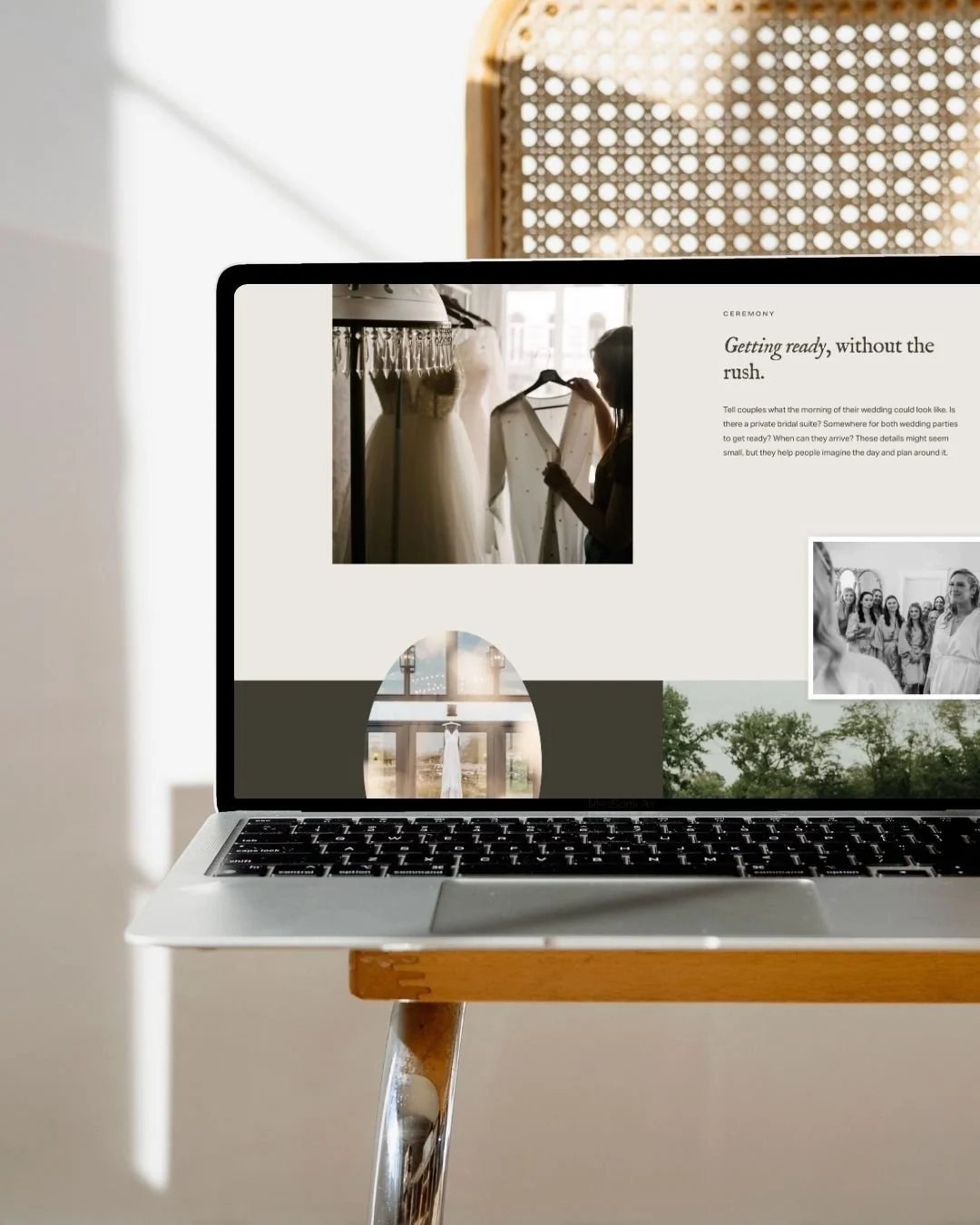
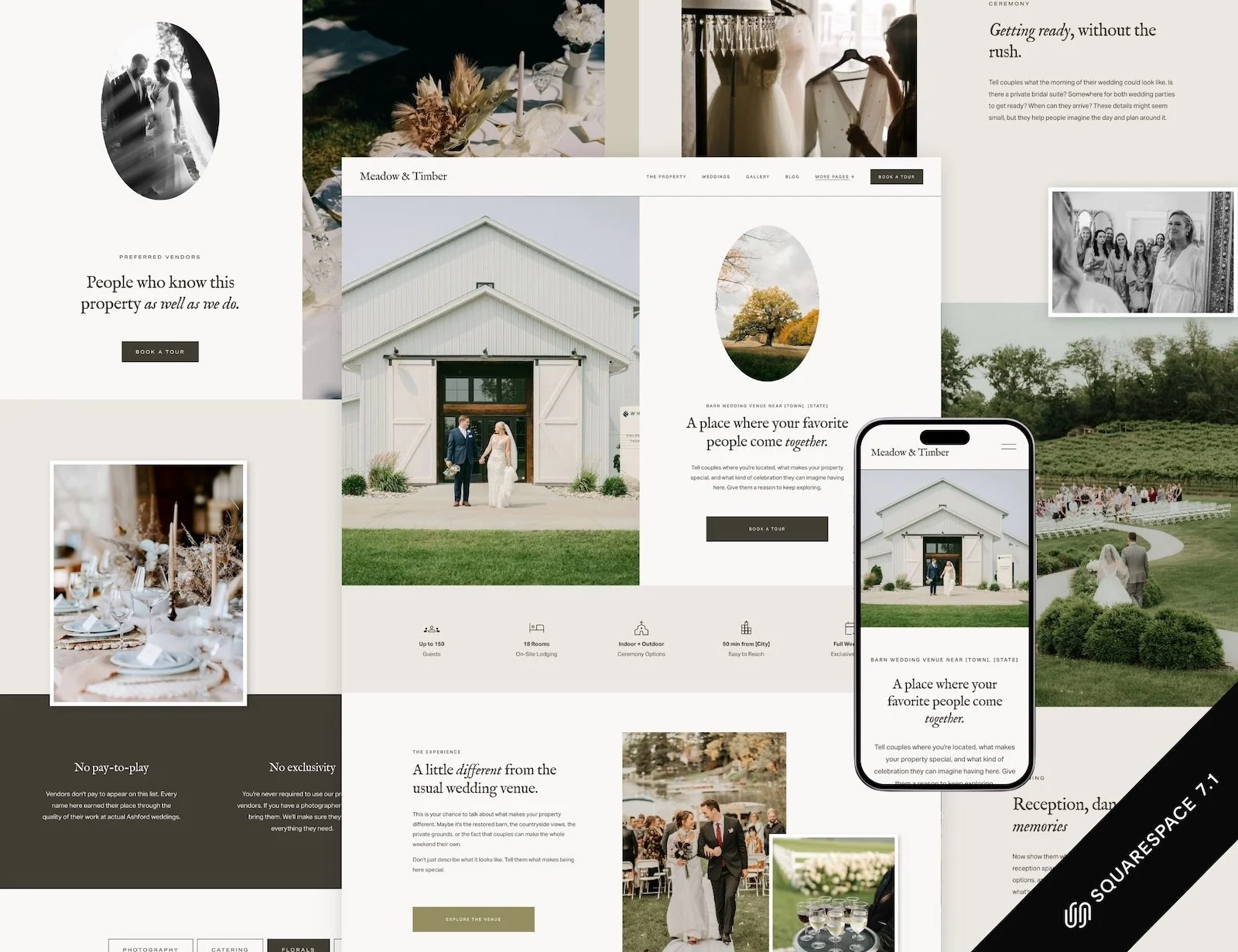
I designed Meadow & Timber for this. It's a Squarespace template for wedding and event venues, with pages for your spaces, packages, accommodation, tours and FAQs, plus a venue copy guide covering the questions couples ask before they inquire. You can build it yourself, or I can customize it for you with your photos, packages and details.
When a template isn’t enough
Go custom when the structure itself is the problem. That usually means several event spaces with different capacities, weddings alongside corporate events and retreats, a venue competing in a crowded local market, or a property that's hard to understand from photos alone.
A custom project starts with a strategic review: how couples find and compare venues in your area, what your competitors' sites say, where your current site loses people, and what yours needs to say to the couples you actually want. The design comes after that, built around what the review found. That's the part a template can't do, and it's why a custom venue site costs $4,000–$8,000 rather than the price of a template plus a few weeks.
If that sounds like your venue, wedding venue website design is where to start. If you already have a site and you're wondering whether it's time, here are 12 signs your venue website needs a redesign.
Step 6: Build it for phones and for local search
The couples looking at venues right now are young, and a lot of them live on their phones. In The Knot's 2026 Real Weddings Study, which surveyed 10,474 US couples married in 2025, Gen Z made up 41% of couples and the average age was 32.
For this group, the phone is more than the convenient option. Pew Research Center's 2026 survey found that 97% of 18–29-year-olds own a smartphone, and 24% are “smartphone-only” internet users: they have no broadband at home and go online through their phone. Couples planning a wedding probably skew a little older and better-off than that age group as a whole, so the share among your inquiries is likely lower. Even so, for some of your youngest couples, the phone version of your website is the only version they will ever see.
So design the phone version first, and check it on your own phone rather than in the builder's preview. Couples often arrive in the evening, after tapping through from Google Maps or Instagram. A few things make the biggest difference:
Resize your photos before uploading. Large galleries are the most common reason venue sites are slow on mobile. Keep images under about 500 KB where you can.
Put the location and capacity in the page titles. "Barn Wedding Venue in Asheville, NC | Up to 180 Guests" is a far better page title than "Home".
Name your image files (lakeside-ceremony-lawn.jpg rather than IMG_4021.jpg) and add short alt text.
Keep pricing and capacity on the page, not only in a PDF.
Link your Google Business Profile to the website, and use the same name, address and phone number everywhere.
Make the tour button easy to find on every page, especially on mobile.
There's more to it, and most of it isn't about the platform. I cover the rest in SEO for wedding venues. For what the design itself needs to do once couples arrive, see wedding venue website design: what couples need to see.
Sources: The Knot Worldwide, 2026 Real Weddings Study (Gen Z share, sample) and 2026 Registry Study (average age); US Census Bureau, Families and Living Arrangements, 2025; Pew Research Center, Mobile Fact Sheet (survey Jan 30 – Jun 18, 2026).
Step 7: Launch before it feels finished
A short checklist for launch day:
Every page works on your own phone
The inquiry form sends to an inbox someone actually checks
Capacities and prices match what's on The Knot, WeddingWire and your brochure
Each page has its own title and description
Your domain is connected and the old site redirects to the new pages
Google Analytics and Google Search Console are set up
Your Google Business Profile links to the new site
Then launch. A venue website improves faster once real couples are using it, because their questions tell you what's missing.
What to add after your first season
Once you've had a season of inquiries and tours, you'll know what couples keep asking. That's when it pays to add:
Real weddings from your own season
A fuller FAQ built from the questions you answered most on tours
Separate pages for event types you didn't expect to book (elopements, rehearsal dinners, corporate retreats)
Seasonal or weekday pricing, if that's where you have empty dates
This is also the point where a lot of venues outgrow their first site, and a custom design has real information to work from.
Frequently asked questions
How much does a wedding venue website cost?
A DIY site on a venue template costs the template (Meadow & Timber is $447) plus a Squarespace plan from $19 a month billed annually. Having a designer customize a template costs from $1,800 with me, plus the template. A custom wedding venue website with strategy costs $4,000–$8,000, depending mostly on how many spaces and event types the site has to explain.
How long does it take to build a wedding venue website?
With your content ready, a customized template usually takes one to two weeks. A custom site takes several weeks because it starts with strategy and structure. Doing it yourself depends mostly on how long it takes to gather photos, prices and copy, which is usually longer than the build itself.
Do I need a website if I'm already on The Knot and WeddingWire?
Yes. Directory listings help couples find you, but you don't control how they look, couples see your competitors right next to you, and the directory owns the inquiry form. Your own site is the one place where you decide what couples see, and it's what Google and AI search tools read when they describe your venue.
What's the best website builder for a wedding venue?
For most venues, Squarespace. It's easy for staff to update, looks good on phones without extra work, and needs no maintenance. WordPress suits large properties with a developer and complex booking tools. Showit suits very visual sites where someone is happy to manage the mobile layout separately.
Should I put prices on my wedding venue website?
At least starting prices. Couples use them to decide whether to inquire at all. Without them, some couples who could afford you assume they can't and move on, while others inquire and find out on the tour that you're out of range. You don't need to publish every package detail.
Can I build a wedding venue website myself?
Yes, especially with a template built for venues. The hard part is the content (photos, capacities, prices, what's included), not the builder. If you'd rather spend your evenings on the venue than on a website, template customization is the middle option.
Ready to build yours?
If you'd like to build it yourself, start with Meadow & Timber, my Squarespace template for wedding venues ($447). If you'd rather hand it over, I'll customize it into your venue's website, usually within one to two weeks, from $1,800. And if your venue needs a structure of its own, have a look at wedding venue website design.