Updated November 2026 · Some links are affiliate links.
I started building websites at twelve, in raw HTML and CSS on free hosts that have long since disappeared. Since then I've worked in Joomla, Blogspot, Wix, WordPress, Showit and Squarespace, and I've sworn quietly at most of them.
Showit was the platform I moved to when WordPress started wearing out my clients. They were tired of dashboards, plugin updates and the general feeling of owning a machine they didn't understand. Showit felt like Canva for websites. I loved it, and then I had a slightly complicated relationship with it. Eventually I moved everything to Squarespace, and I now build every client site there.
So yes, I have a preference, and you should know that before you read on. But this isn't a “Squarespace good, Showit bad” article. Showit is genuinely better at some things, and for some wedding businesses those things matter more than anything Squarespace offers. I'll point them out as we go.
The short answer
Wedding venues: Squarespace, in most cases. Venue sites are multi-page, location-driven and edited by whoever is at the desk that week. Structure beats freedom here.
Wedding planners: Squarespace, unless your brand depends on a very editorial, layered look and you're happy to maintain it yourself.
Wedding photographers: honestly, it's close. If you blog real weddings every week and care about pixel-level layouts, Showit with its WordPress blog is a strong choice. If you'd rather spend your evenings editing photos than editing websites, Squarespace.
| Showit | Squarespace | |
|---|---|---|
| Design freedom | Total. Place anything anywhere, with a separate mobile layout | Grid-based (Fluid Engine), flexible with guardrails |
| Learning curve | Steep, then pleasant | Gentle |
| Blog | WordPress, connected to Showit | Built in |
| SEO | Strong, but more manual | Strong, mostly handled for you |
| Booking and inquiries | Native forms are complicated to build. Many people use embeds (HoneyBook, Dubsado, etc.) | Built-in forms, Acuity scheduling, plus embeds |
| Maintenance | Two systems | One system |
| Best for | Photographers and designers who love control, want it pixel-perfect, and have enough patience to make it happen | Venues, planners and anyone who'd rather get shit done and not think about it |
What Showit and Squarespace actually are
Showit is a visual, drag-and-drop website builder. You place text, images and shapes wherever you like on a canvas, a bit like Photoshop or Canva, and you design desktop and mobile separately. It started with wedding and lifestyle photographers, and that's still its home crowd. Blogging runs on WordPress, which Showit hosts and connects to your design.
Squarespace is an all-in-one platform: hosting, SSL, templates, blogging, SEO settings, analytics, forms, scheduling, email campaigns and e-commerce, all under one login. Its editor, Fluid Engine, is a responsive grid. You still drag things around, but within a structure that keeps spacing and mobile layouts from falling apart.
The real difference between them comes down to how much responsibility you want.
What a wedding business website actually has to do
Before comparing features, it helps to be clear about the job. Whether you run a venue, plan weddings or photograph them, your website has roughly five tasks:
Show the experience. Couples need to picture themselves there: the ceremony spot, the light at 6pm, the way the room looks full.
Answer the money question. A couple can admire every photo and still have no idea whether they can afford you. Pricing pages, packages and "starting at" figures do a lot of quiet work.
Turn interest into an inquiry or a tour. Forms, booking calendars and clear next steps matter more than any animation.
Get found. Mostly that means local search ("barn wedding venue near Asheville", "Hudson Valley wedding planner") and, increasingly, AI search tools that read your pages to build their shortlists.
Stay up to date without a developer. Dates fill up, prices change, the coordinator leaves. Someone who isn't a designer will be editing this site.
Showit is excellent at the first job. Squarespace is better at the other four. How much that matters depends on what kind of wedding business you are.
Marta to add: one real example here, e.g. a venue site where a staff member had to update packages or availability, and what that looked like on each platform.
Design freedom & Ease of use
Showit: exhilarating freedom, meticulous work
Showit lets you do almost anything visually: overlapping images, asymmetric layouts, floating text, layered hero sections, animated reveals. If you've ever felt boxed in by a template, it's a relief. I love the way responsiveness works in Showit. It scales everything seamlessly. On big desktops screens, it adds more margin. On tablets, the whole website shrinks a little to match the screen width. As elements are absolutely positioned, everything looks exactly as you designed it, no matter the device.
It also has one feature I still miss: completely separate desktop and mobile canvases. You can design a mobile layout that is genuinely different instead of a squashed copy of the desktop one.
The catch is that every one of those freedoms is also a job. If you don’t get some things right from the start, you will be pulling your hair out adjusting things later, because every font size and typeface change messes up spacing. And spacing, alignment, heading structure and mobile consistency are all yours to manage. There's no global style system in the way Squarespace has one, so changing a button style means changing it everywhere it appears (because buttons are just rectangle shapes with some text layered over it in Showit). Custom CSS doesn't show in the live editor either, so you publish and check a preview site to see it. At first Showit feels like Canva. A few months in, it feels more like Photoshop with rules you have to invent yourself.

Showit editor looks pretty much like Photoshop
Squarespace: structured creativity, sane speed
Squarespace 7.1 with Fluid Engine gives you drag-and-drop on a grid. You can stack and overlap elements, adjust padding and build layouts that don't look templated, but the grid stops you from accidentally breaking the mobile site when you nudge something on desktop.
Global colors, font scales, button styles and spacing live in one place. Change them once and the whole site follows. That's the main reason builds are faster, and why a venue coordinator can update a page without a phone call to me.
The downsides? The biggest disadvantage is that it’s hard to make it look good on smallest tablets… Not really a deal breaker for me. iPad Mini only makes up about 10% of Apple’s iPad sales, so I would consider it a minor inconvenience.
Verdict: Showit for designers and photographers who want total design control and fancy layouts. Squarespace if you want beauty without the chaos.
Squarespace Templates vs Showit Templates
Showit templates are often gorgeous, with full-screen reveals, layered layouts and editorial type, and they're mostly made by independent designers for photographers, planners and creatives. They usually cost anywhere from $350 to well over $1,000. My favorite source is Tonic Site Shop. Because a Showit template is a set of freeform canvases, customizing one well takes either skill or patience.
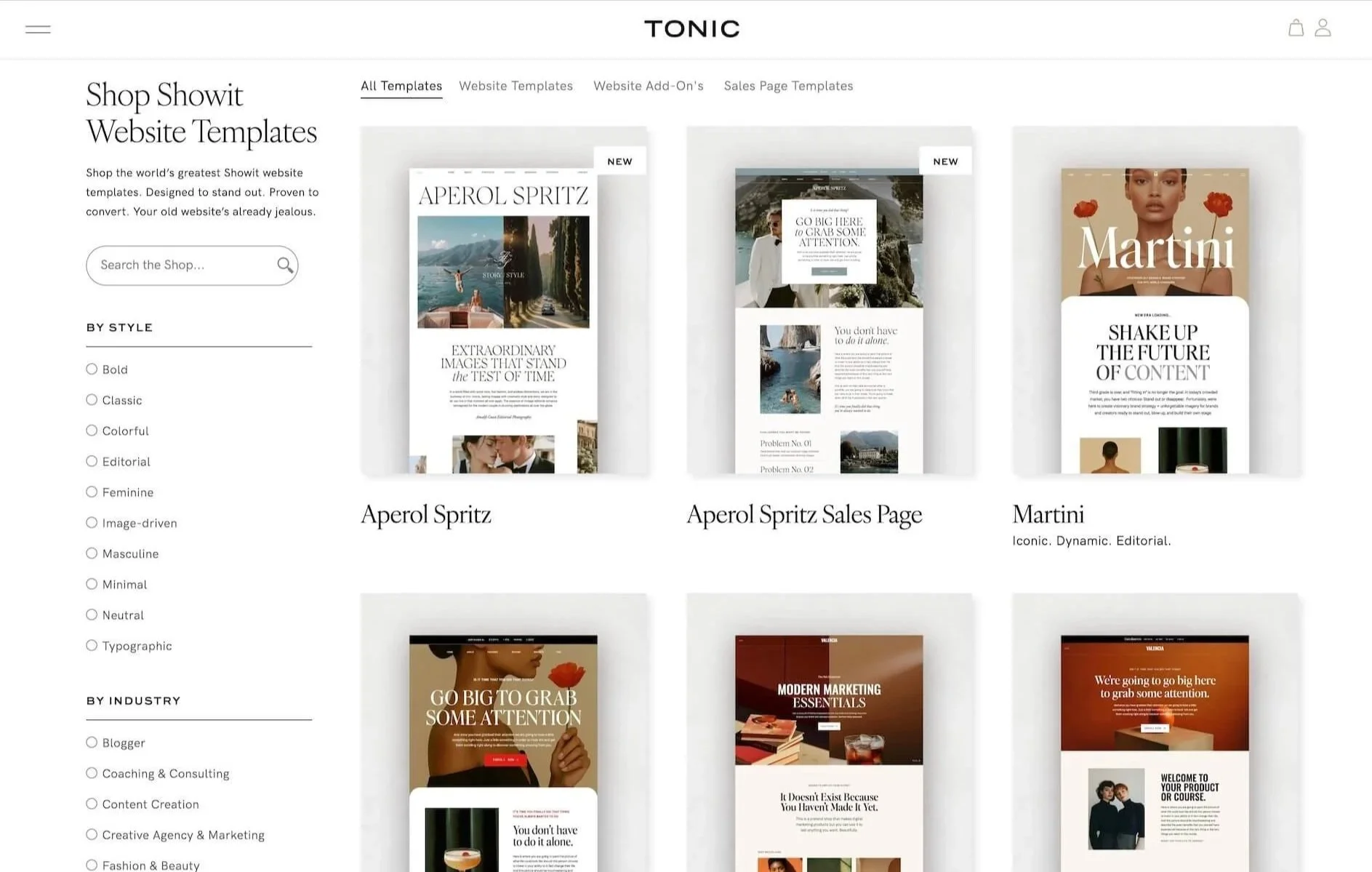
Tonic Site shop is the best source of premium Showit templates
Squarespace templates start free, and premium third-party templates generally run from about $100 to $450. I find them easier and quicker to customize than Showit. They handle typography, responsive layouts and mobile by default, so customizing them is much safer. If you run a venue, I designed Meadow & Timber specifically for wedding venues, with pages for spaces, packages, tours and FAQs already structured the way couples look for them.
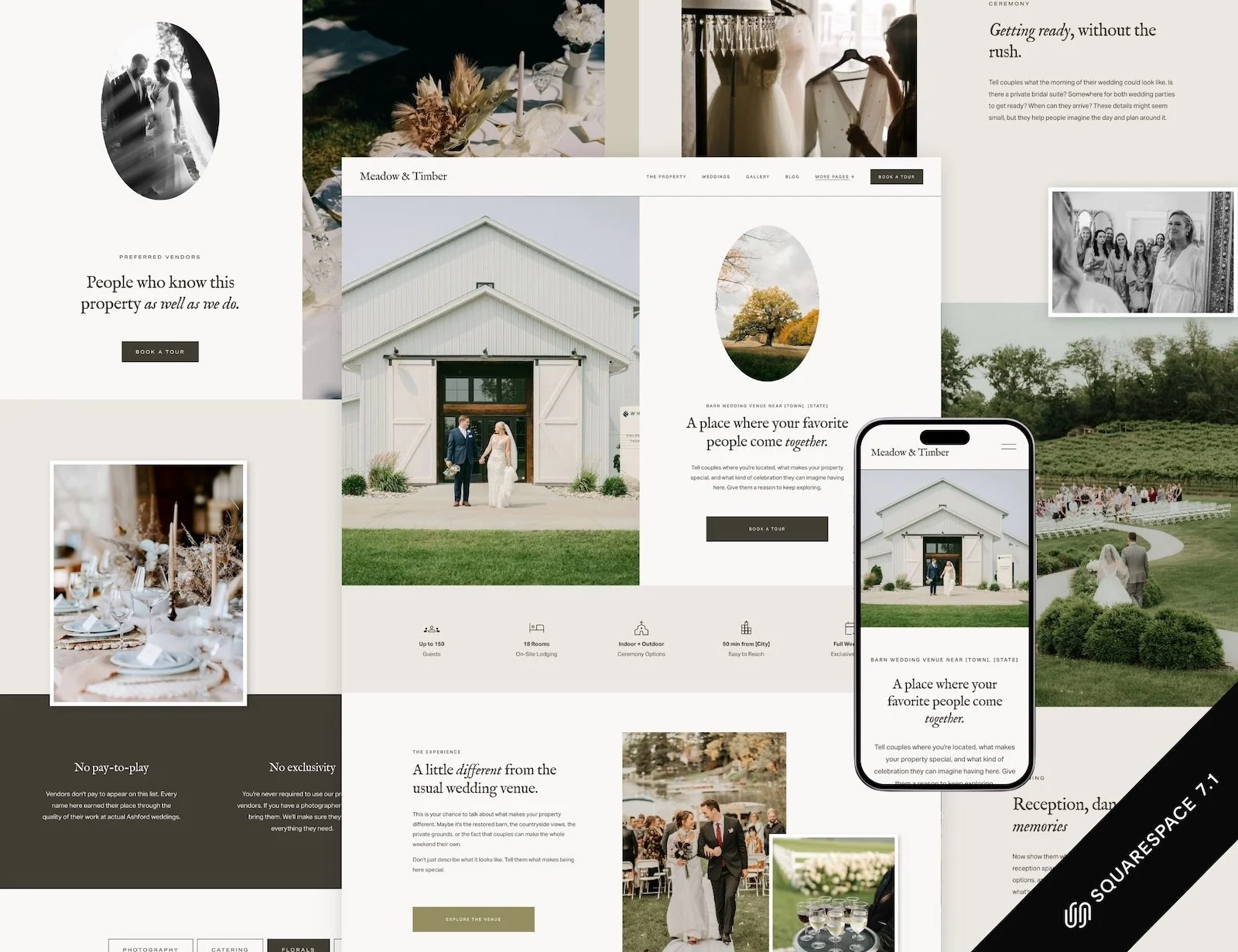

Free Squarespace templates
What about Squarespace Blueprint AI?
Squarespace also has Blueprint AI, which can generate a starting website based on a few questions about your business. You describe what you do, choose your preferred visual direction, and it puts together a multi-page website with layouts, images, and starter copy.
For wedding professionals who find the idea of building a website overwhelming, it's a pretty convenient way to get past the blank page.
But there's something worth remembering: AI doesn't know why couples choose your venue over another, what makes someone comfortable spending $8,000 on photography, or which questions a bride needs answered before she'll inquire.
It can give you a starting structure. You'll still need to figure out what your customers actually care about, how to communicate your value, and what information helps them make a decision.
And that's true whether you're using Blueprint AI, a premium Showit template, or hiring a designer.
Verdict: a tie. Showit wins on uniqueness; Squarespace wins on speed, safety and price.
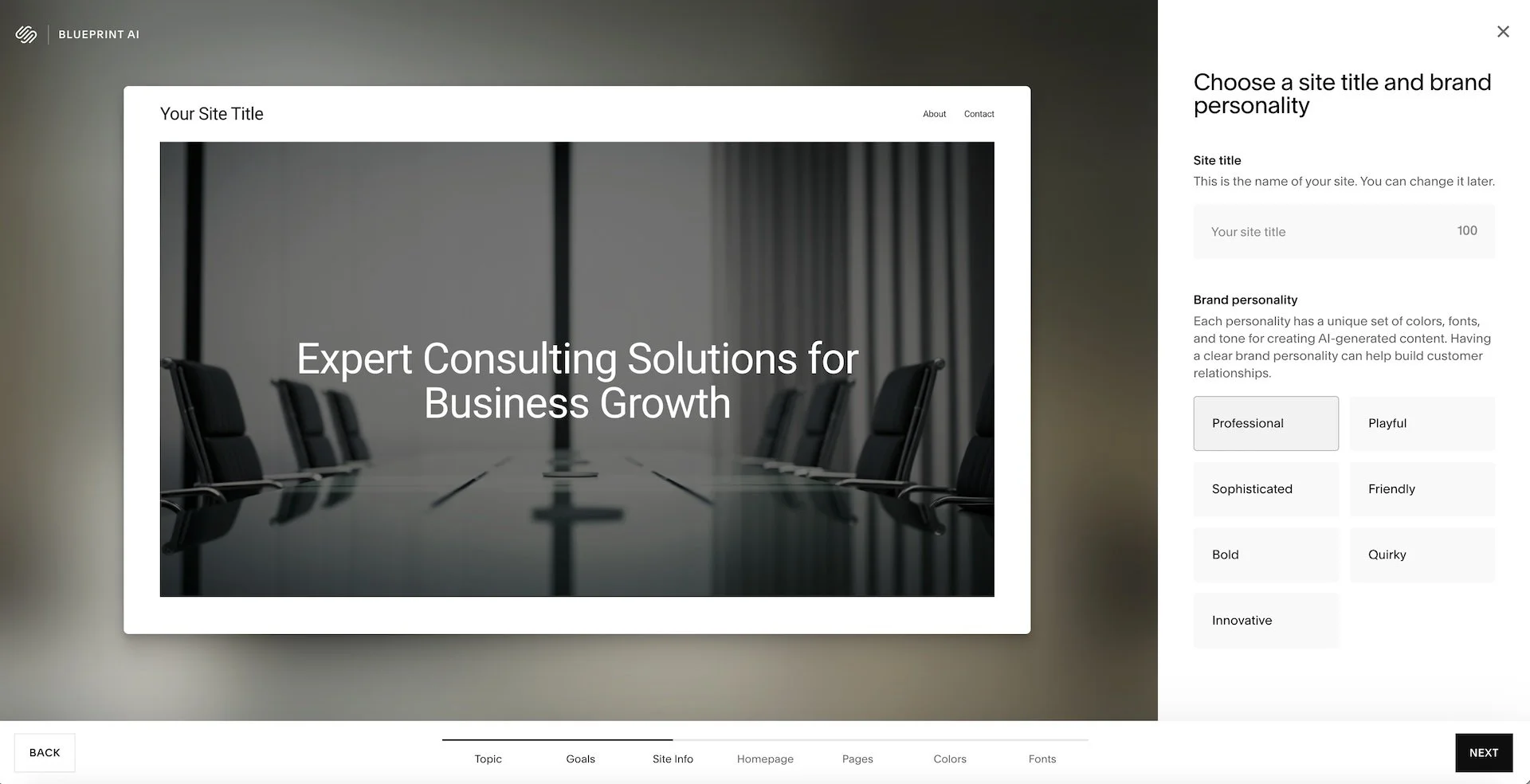
Blueprint AI will help you create a Squarespce website from scratch fast… But is still
SEO for wedding businesses
Both platforms can rank. I've seen Showit sites rank beautifully and Squarespace sites rank beautifully. The difference is how much of the work is manual, and how easy it is to get wrong.
Showit: powerful, but scattered
Page SEO (titles, descriptions, image alt text) lives inside Showit. Blog SEO lives in WordPress, usually with Yoast. That's two places to manage. Because Showit builds pages from layers, the order of those layers affects how search engines read the page, so a beautiful layout can end up with headings in a strange sequence. Images need renaming before upload, and redirects are handled separately from the design.
None of this is broken. It just depends on you remembering it.

Showit SEO Settings for pages
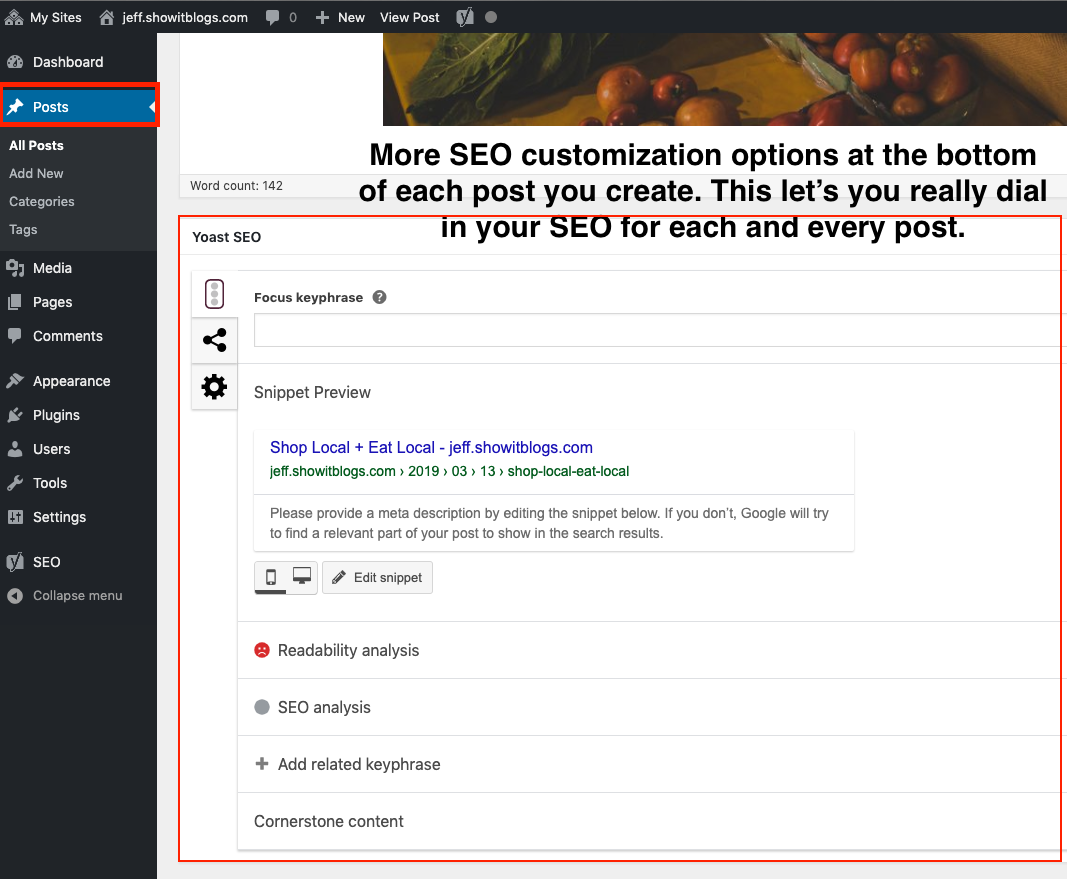
Showit SEO Setting for blog are managed through Yoast
Squarespace: cohesive and quietly optimized
SEO settings for pages, blog posts and the site as a whole live in one interface. Squarespace generates your sitemap, serves images in modern formats, lets you rename images after upload, manages redirects in one panel, and supports custom schema and code injection when you need more.
The one caveat: heading tags are tied to font sizes, so if you want an H2 that looks small, you need a little CSS. My premium templates handle this for you.

Squarespace SEO tools
What matters most for venues and planners: local and AI search
For a wedding venue or planner, the big SEO wins usually aren't platform features. They're structure: a page for each space or service, a clear location on every page, real answers about capacity, pricing and what's included, and FAQs written in the words couples actually use. AI search tools pull from exactly this kind of plain, well-structured information when they build a shortlist.
Squarespace makes that structure easy to build and easy to keep consistent across 15 or 20 pages. Showit can do it, but each page is a separate canvas, so consistency takes discipline. If you want to go deeper, I wrote a full guide to SEO for wedding venues.
Squarespace’s New AI Search Features
Squarespace has been adding tools to help businesses understand how they appear in AI-powered search, not just Google.
In July 2026, it introduced two particularly interesting features for Squarespace 7.1 websites:
LLMS.txt support. You can now create and edit an llms.txt file directly in Squarespace, under SEO/AI Visibility → SEO Settings. This file provides AI tools with a concise overview of your business and links to important pages. For a wedding venue, that could mean information about your location, capacity, packages, accommodation, and other details couples typically research before booking. It's a proposed standard, though, and there's currently no reliable evidence that adding an llms.txt file will improve your visibility in AI search results.
AI Visibility tracking. Squarespace also introduced a tool that lets you check whether ChatGPT and Gemini mention your business when people ask relevant questions. For example, a wedding photographer could test "Who are the best documentary wedding photographers in Chicago?" or a venue could check "What are some wedding venues near Asheville with on-site accommodation?" You can see which competitors appear in the answers and track changes over time.
The AI Visibility tool is available on English-language Squarespace 7.1 websites and uses AI credits, with an allocation included in each website plan.
I particularly like the second feature because it gives business owners a way to investigate how they're being discovered beyond traditional Google searches.
Just remember that being mentioned by AI isn't the same as generating qualified inquiries. And neither tool replaces the fundamentals: useful content, clear positioning, good website structure, and accurate information about your business.
Verdict: Squarespace. It's easier, simpler and much harder to get wrong.
Blogging and real-wedding posts
This is where Showit makes its strongest case, especially for photographers.
Showit's blog runs on WordPress. You design the blog in Showit and write and publish posts in WordPress. For a photographer posting a real wedding every week with 60 images, a custom layout and Yoast guiding the SEO, that's a genuinely powerful setup. The cost is two logins, two systems and some WordPress upkeep. Depending on your plan, Showit manages a lot of that for you.
Squarespace's blog is built in. You write, design, schedule and optimize posts in one editor, with categories, tags, SEO fields and newsletter signups. It's smooth and distraction-free. It's also less flexible in layout than a dedicated WordPress setup, which only matters if your blog is the centerpiece of your marketing. Theres a real constraint — you can have up to a 1000 pages on Squarespace. But honestly? You don’t need that many to rank your small business on google and get leads from organic search.
For venues and planners, the blog usually supports the site rather than leading it: a few real weddings, a vendor guide, a "how to plan a winter wedding here" post. Squarespace handles that comfortably.
Verdict: Showit for photographers who want a fancy layout. Squarespace for everyone else who likes ease and convenience.
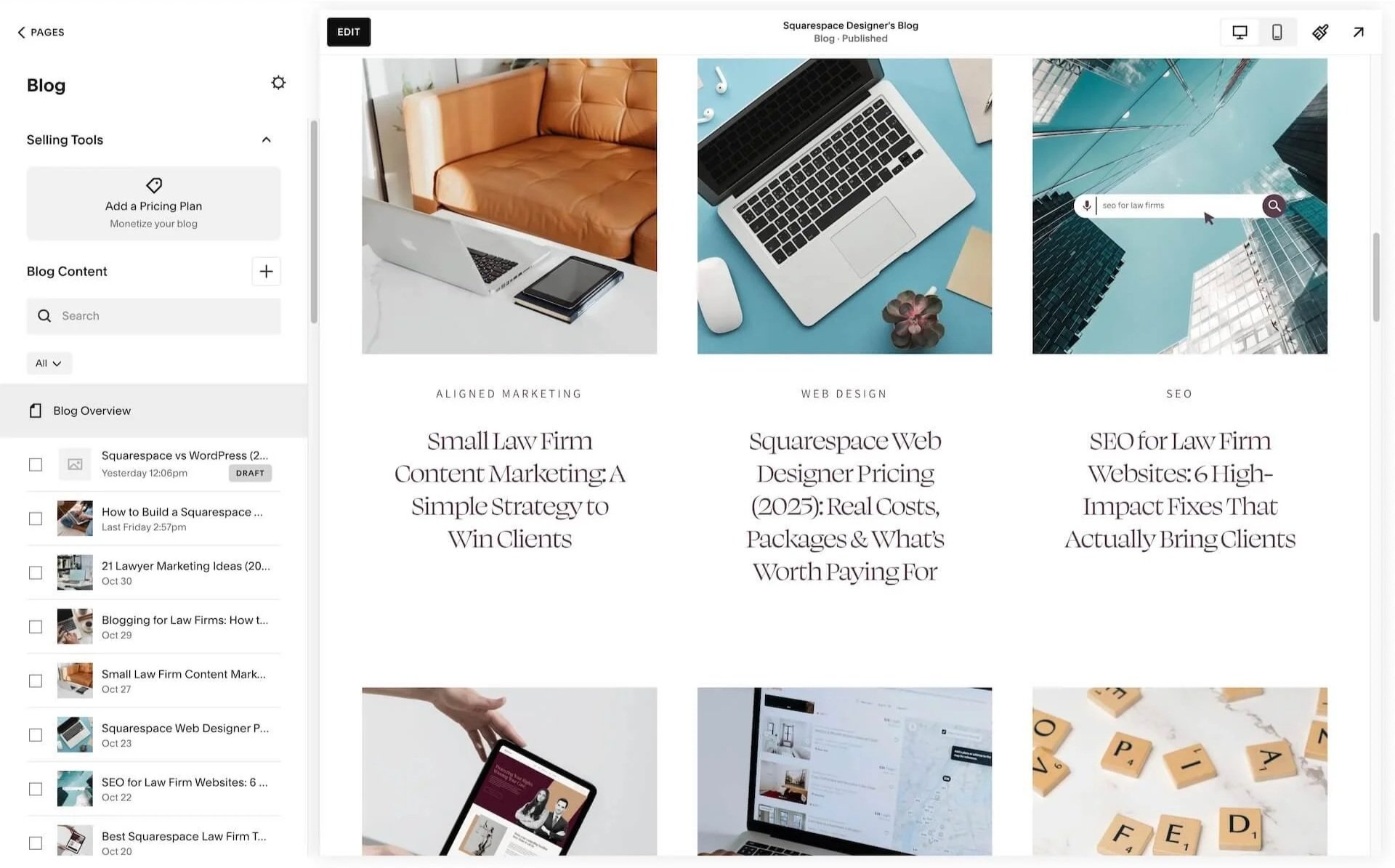
Showit vs Squarespace for blogging
Inquiries, tours and booking tools
A wedding website has one practical job above all others: getting couples to raise their hand.
Squarespace has built-in forms, so you can ask about date, guest count and budget, and Acuity Scheduling, so couples can book a tour without three emails back and forth. It also embeds the CRMs wedding businesses tend to use, like HoneyBook or Dubsado, and everything sits under one login.
Showit also has tools to build contact forms but setup is not not so straightforward. Many Showit users handle inquiries through embedded forms and third-party tools. That works well, and most Showit wedding sites use exactly that setup. You're just connecting more pieces yourself.
Verdict: Squarespace, for having more of it built in. Showit is perfectly capable if you're already set up with a CRM.
Selling guides, prints and gift cards
Most wedding businesses don't run online shops, but some sell a planning guide, gift vouchers, albums or presets. Squarespace has e-commerce built in: products, digital downloads, payments and taxes. Showit has no store of its own. Selling means connecting outside tools — you can add WooCommerce on the highest tier but it’s pretty complicated to set up. On lower tiers, you can embed Shopify buttons or link to Samcart checkout. Fine for one product, fiddly for ten.
Verdict: Squarespace.
Showit vs Squarespace pricing in 2026
Prices checked November 2026 (USD). Annual billing shown first.
Showit
| Plan | Billed annually | Billed monthly | What you get |
|---|---|---|---|
| Showit | $22/mo ($259/yr) |
$27/mo | Website builder and hosting |
| Showit + Basic Starter Blog | $27/mo ($326/yr) |
$34/mo | Adds a WordPress blog with pre-installed plugins |
| Showit + Advanced Blog | $39/mo ($470/yr) |
$49/mo | Custom plugins, unlimited WordPress users, frequent backups |
| High-traffic blog plans | From $63/mo | From $79/mo | For blogs above the standard traffic limits |
Squarespace
| Plan | Billed annually | Billed monthly |
|---|---|---|
| Basic | $19/mo | $25/mo |
| Core | $29/mo | $39/mo |
| Plus | $49/mo | $65/mo |
| Advanced | $99/mo | $139/mo |
The real cost
On subscription alone, the two are close. The bigger difference is everything around the subscription. A Showit site usually starts with a pricier template, plus the time (yours or a designer's) to adapt freeform pages, plus separate tools for anything the platform doesn't do natively. A Squarespace site has more built in and costs less time to maintain. Over three years, that difference tends to matter more than a few dollars a month.
Maintenance, security and support
Showit has a kind, responsive support team. And that’s good because you will need support at some point. Because the blog runs on WordPress, there's a second system to look after. Showit hosts and backs it up, and the Basic blog limits you to approved plugins, which keeps things safer. On the Advanced plan you can install your own plugins, and with that comes the classic WordPress risk of conflicts and updates. Owning it feels a bit like owning a beautiful old car.
Squarespace handles updates, security, SSL and backups invisibly, with 24/7 chat and email support. It rarely breaks, which is a big part of why I trust it with my own site. You can find some complaints about Squarespace support response time on Reddit, but honestly…. I’ve never had to use their support myself, and my clients haven’t complained about it either.
Verdict: Squarespace. It's the queen of low-maintenance websites.
Five myths worth retiring
“Showit is the wedding platform, so it must be right for my venue.” Showit grew up with wedding photographers, and it shows: it's brilliant at visual storytelling. But a venue site has different jobs (pricing, tours, local SEO, staff edits), and those favor structure.
“Squarespace is bad for SEO.” That reputation is years out of date. Squarespace sites rank well when the strategy and content are right, which is true of every platform.
“Showit has better SEO than Squarespace.” Yoast gives you more knobs on the blog. Knobs don't help if the page's layers and headings are in the wrong order.
“All Squarespace templates look the same.” They share a clean foundation. With custom fonts, colors, layouts and a bit of CSS, they stop looking like each other very quickly. By the way, my expert eye can smell both a Showit and Squarespace website from a distance.
“Showit is cheaper.” Its base plan is close in price, sometimes cheaper. Templates, add-ons and build time usually make it the more expensive choice overall.
Switching from Showit to Squarespace without losing rankings
If you're on Showit now and thinking about moving, the platform switch is the easy part. Protecting what you've already earned in Google is the part that needs care:
List every URL on your current site, including blog posts, before you change anything.
Export your WordPress blog. Squarespace can import WordPress posts, which saves a lot of copying and pasting. But you will have to entirely rebuild the pages.
Keep URLs the same where you can, and set up 301 redirects for every one that changes. Your blog posts will definitely need to be redirected.
Carry over titles, meta descriptions and alt text. They don't move across automatically, so the best solution is to gather them all in a spreadsheet.
Resubmit your sitemap in Google Search Console and watch your rankings for the next few weeks.
How to protect and even boost your Google rankings while redesigning your website? I've written about this in more detail in SEO after a wedding venue website redesign.
Which one should you choose?
Choose Showit if you're a photographer or designer with a strong eye, you want to break layout rules on purpose and you're comfortable looking after two systems (or at least don’t have a WordPress allergy). Showit is for the perfectionists who want it absolutely pixel-perfect on every device and visual rebels.
Choose Squarespace if you run a venue or planning business, lmore than one person will edit the site, you care about local search and getting inquiries, and you'd rather launch your next package than troubleshoot a plugin. Squarespace is for the organized dreamers who want things to be quick and easy.
Why I build on Squarespace
After WordPress, Showit and Wix, I chose Squarespace because it balances creative control with business practicality better than anything else I've used. Many of the clients who come to me arrive after a few years of struggling with WordPress or Showit. Their sites usually aren't ugly. They're just hard to keep up with.
If you run a wedding venue, the fastest route is Meadow & Timber, a Squarespace template built for venues, with spaces, packages, tours and FAQs already structured the way couples look for them. My template customization service (from $1,800) takes it from "meh" to "take my money" in a few days. If your site is getting looks but not inquiries, have a look at how I work with venues.
If you're a planner or photographer ready to leave a DIY site behind, I design custom Squarespace websites (from $4,000) built around how couples choose who to hire: your portfolio, your process, your pricing and a clear way to inquire. Let's chat.
Showit vs Squarespace: FAQs
Is Squarespace better than Showit? For most wedding venues, planners and small businesses, yes. For photographers and designers who want total visual control and a WordPress blog, Showit can be the better fit.
Is Showit good for wedding venues? It can be, especially visually. But venue sites need many consistent pages, easy edits by staff, pricing and tour booking, and strong local SEO. Squarespace makes those easier to build and maintain.
Do most wedding photographers use Showit or Squarespace? Showit is very popular with wedding photographers, largely because of its design freedom and WordPress blog. Plenty use Squarespace too, often alongside a gallery platform like Pixieset.
Which is cheaper in 2026? The subscriptions are close: Showit from $22/mo and Squarespace from $19/mo, both billed annually. Once templates, add-ons and build time are included, Showit usually costs more.
Can I switch from Showit to Squarespace? Yes. Pages are rebuilt by hand, but you can import your WordPress blog posts. Set up 301 redirects for any URLs that change so you keep your rankings.
Can Squarespace websites rank well on Google? Yes. The platform handles the technical basics well. What ranks a wedding business is the structure and content: clear pages for each space or service, location signals and real answers to the questions couples ask.